You found a silent subliminal on YouTube, downloaded it, saved it to your phone, and pressed play expecting the same track the creator described. Something about it feels thinner. Less full. Less like the layered, high-frequency track you were promised, and more like a flat loop of background noise with nothing detectable riding underneath it.
This is not in your head, and it is not a placebo problem. There is a real, well-documented technical reason a silent or ultra high-frequency subliminal downloaded from YouTube can sound — and function — differently than the original file the creator built. It comes down to one thing: audio compression. Specifically, the codec YouTube runs every single upload through before it ever reaches your ears.
This article breaks down exactly what YouTube's compression does to audio, why that process lands directly on top of the frequency range a silent subliminal depends on, and why so many audio engineers in subliminal and audio-production communities have started warning people away from YouTube-sourced tracks entirely for this exact use case.
How YouTube Actually Compresses Every Audio File You Upload
Here is the part most people never think about: YouTube does not store or stream the original file a creator uploads. Whatever you upload — a WAV, an MP3, a FLAC — YouTube's servers re-encode it into one of its own delivery codecs, almost always AAC or Opus, typically capped around 128kbps for standard uploads (Opus can run slightly higher, closer to 160kbps on some streams, but it is still a lossy codec working at a fraction of the data a WAV file carries).
Both AAC and Opus are lossy codecs, which means they are specifically designed to throw away audio data the encoder's psychoacoustic model decides the average human ear is least likely to notice. That is a genuinely clever piece of engineering for music and speech, where it lets a huge file shrink down to a fraction of its size with only minor, imperceptible loss to a typical listener. But "imperceptible to a typical listener" and "irrelevant to a subliminal" are two very different standards — and that gap is exactly where the problem for silent subliminals begins.
Why This Specifically Threatens Silent and High-Frequency Subliminals
A silent subliminal is built by taking the affirmation voice track and shifting it up toward the very top edge of the audible frequency range — often somewhere in the 15kHz to 20kHz zone, close to or beyond where most adult hearing naturally rolls off. That is the entire premise: the affirmations sit at a frequency high enough that the conscious ear does not register a voice at all, only the background sound layered underneath it.
Here is the problem. Lossy codecs like the ones YouTube runs everything through are specifically tuned to be more aggressive the higher up the frequency range you go, because that is exactly the region most listeners will not consciously miss. Several audio engineers discussing this in production and subliminal-focused forums have pointed to the same pattern: content sitting above roughly 15k–16kHz is the first thing a lossy encoder trims, blurs, or deprioritizes when it needs to hit a target bitrate — and a 128kbps target asks the encoder to cut a lot of corners.
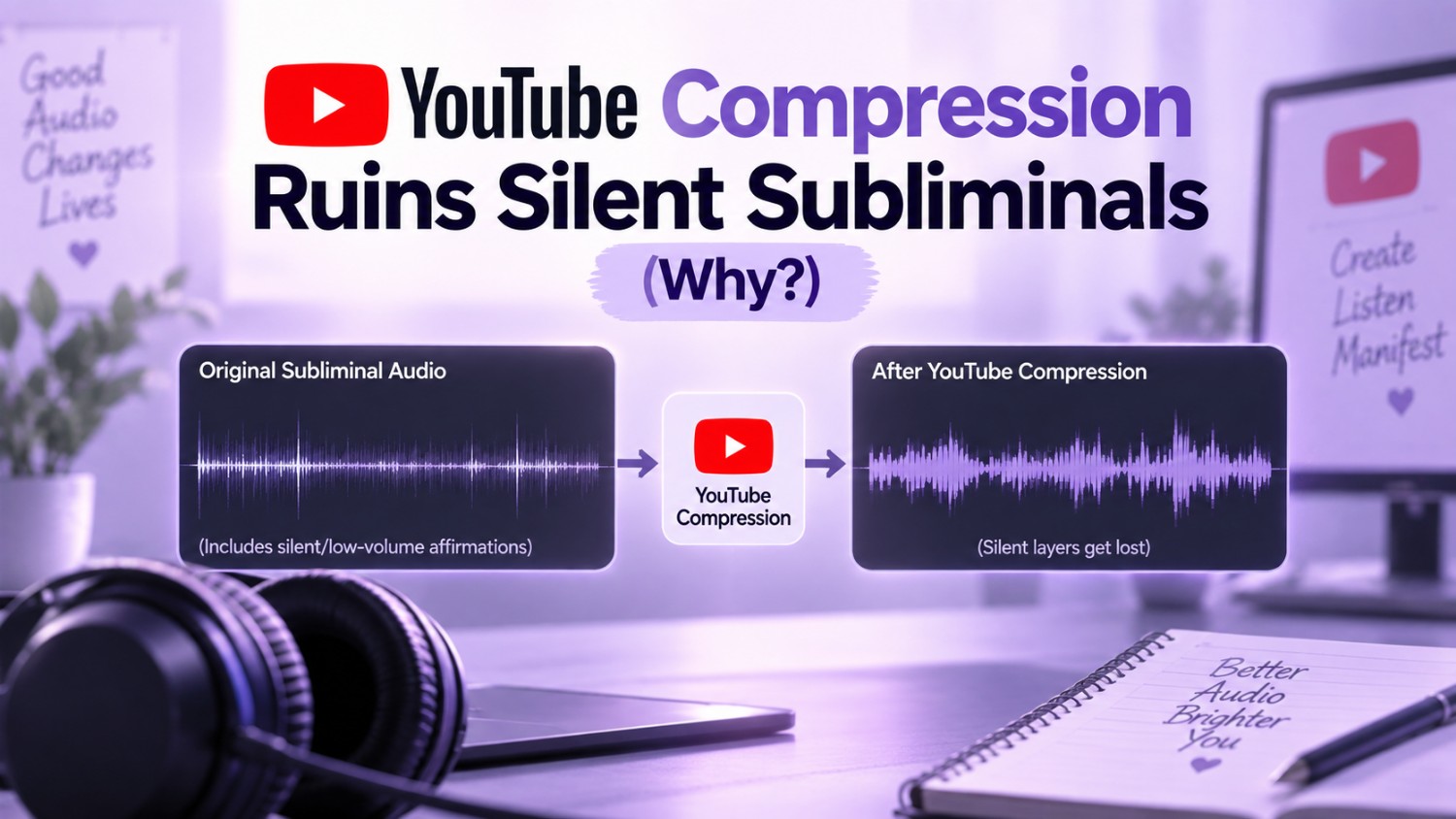
In other words, the exact frequency band a silent subliminal is engineered to occupy is the same frequency band YouTube's compression is engineered to sacrifice first. According to many in the subliminal community who have compared original masters against their YouTube-uploaded versions on a spectrogram, the difference is visible, not just theoretical — a clean, unbroken high-frequency line in the original file, and a faded, patchy, or entirely cut-off version once it has passed through YouTube's encoder.
This does not necessarily mean a silent subliminal uploaded to YouTube is doing nothing. It means the version reaching your ears has, in many documented cases, already lost some or all of the specific high-frequency content the creator built the track around in the first place — which is a meaningfully different listening experience than the one that was intended.
Why Downloading or "Ripping" a YouTube Subliminal Doesn't Fix the Problem
This is the part that trips up even people who already know YouTube compresses audio: downloading the video, or using a "YouTube to MP3" converter, does not recover anything that was already lost.
By the time a video is live on YouTube, the original high-resolution file is gone from what you can access — you are only ever pulling the already-compressed AAC or Opus stream.
Running that stream through a downloader that promises a "320kbps MP3" is not restoring lost detail; it is re-encoding an already-lossy file into a second lossy format, a process audio engineers commonly refer to as transcoding. The bigger file size some converters produce can create the illusion of higher quality, but a second round of compression cannot manufacture frequency information the first round already discarded. If the high-frequency affirmation layer was thinned out or removed during YouTube's original encode, no downloader, converter, or "HQ" setting brings it back.
This is exactly why saving a silent subliminal offline by downloading it from YouTube solves the platform-dependency problem covered elsewhere on this site, but does not solve the compression problem covered here. Offline is not the same as lossless. A downloaded file can still be a compressed, already-degraded copy of whatever the original was.
What Audio Engineers Are Saying About This
This is not a fringe theory. Conversations among audio engineers and hobbyist producers — including threads on Reddit's audio and mastering communities — have repeatedly flagged the same core issue: any content that depends on frequencies near the top of the audible range is genuinely at risk once it passes through a heavily compressed, low-bitrate delivery pipeline like YouTube's standard audio encode.
The specific application differs from thread to thread — some are talking about ultrasonic tones, some about mastering techniques, some directly about subliminal audio — but the underlying technical point is consistent: low-bitrate lossy codecs are not neutral when it comes to high-frequency content, and a track that relies on that range needs to be delivered in a format that was never compressed down that hard to begin with.
For anyone in the manifestation and subliminal community relying on the silent or ultrasonic method specifically — as opposed to a standard audible-affirmation subliminal, which is far less affected by this issue since it sits well within the range lossy codecs preserve — this is worth taking seriously before assuming a YouTube-sourced track is delivering the full, intended experience.
Why Direct, Uncompressed Audio Generation Solves This Entirely
The most reliable fix is not a better downloader or a smarter converter — those still start from an already-compressed source. The fix is never letting the file pass through a lossy codec in the first place.
This is exactly the gap InnerBloom was built around. Instead of a track being recorded, uploaded to a platform, compressed down to 128kbps for delivery, and then downloaded or ripped back out by the listener, InnerBloom generates your personalized subliminal directly and exports it straight to a lossless WAV file — with no YouTube-style compression step anywhere in the pipeline. The affirmation layer, the background sound, and the full frequency range of the finished track are preserved exactly as generated, because the file you download is the master, not a compressed copy of one.
For anyone specifically building a self-concept practice around the silent or high-frequency subliminal method, this distinction is the entire point. A lossless WAV file generated directly and downloaded straight to your device carries the complete frequency range from the moment it is created to the moment you press play — nothing trimmed, nothing transcoded, nothing lost to a codec optimizing for average listener perception instead of your specific track.

Generate Your Lossless WAV Subliminal
Never let lossy audio codecs strip your high frequencies. Create your uncompressed, studio-grade subliminal in two minutes to claim your desires.
Create My Subliminal ✨YouTube-Compressed Audio vs. Direct Lossless WAV: What Actually Changes
| YouTube-Sourced Subliminal | InnerBloom (Direct WAV) | |
| Delivery codec | Lossy — AAC or Opus, ~128–160kbps | None — lossless WAV, generated directly |
| High-frequency content (15kHz+) | At risk of being trimmed or degraded | Preserved as generated |
| Downloading/"ripping" recovers lost data | No — transcoding a lossy file cannot restore it | Not applicable — file is already lossless |
| Best suited for | Standard audible-affirmation subliminals | Any subliminal, including silent/high-frequency |
| File origin | Re-encoded platform copy | Original generated master |
How to Check Whether a Subliminal Track Has Lost Its High Frequencies
If you want to see this for yourself rather than take it on faith, free spectrogram tools (Spek is a commonly used, free option) let you open any audio file and visually inspect where its frequency content actually stops. A file with content genuinely present up near 18–20kHz shows a clean line running to the top of the display. A file that has been through heavy lossy compression typically shows that same area fading, blurring, or cutting off sharply — a fairly clear visual signal of exactly what was and was not preserved.
Frequently Asked Questions
Does YouTube compression affect all subliminals, or just silent ones?
Standard, audible-voice subliminals — where the affirmations are simply lowered in volume beneath the background sound rather than shifted to a high frequency — are far less affected, since that content sits well within the range lossy codecs are built to preserve. Silent and ultrasonic subliminals, which intentionally place the affirmation layer near the top of the audible spectrum, are the format most exposed to this specific compression issue.
Can I fix a YouTube-compressed subliminal by converting it to WAV?
Converting a file's container from MP3 or M4A to WAV changes the format, not the content. If the original YouTube encode already trimmed or degraded the high-frequency layer, wrapping that same audio in a WAV container does not restore anything — you end up with a larger file holding the exact same, already-compressed information.
Is a 128kbps Opus or AAC file "bad" audio in general?
Not for most listening purposes — modern lossy codecs like Opus and AAC are genuinely efficient and sound close to transparent for music and speech to most listeners at moderate bitrates. The issue here is specific to a use case that intentionally relies on the exact frequency range those codecs are built to compress hardest, not a general statement that YouTube audio is low quality across the board.
How can I tell if a subliminal I downloaded still has its high-frequency content?
A free spectrogram viewer is the most direct way to check — it shows you visually where a track's frequency content actually ends, rather than relying on what you can consciously hear (which, for a silent subliminal, is the point — you are not supposed to consciously hear it either way).
Does InnerBloom's audio ever pass through YouTube or a similar compressed platform?
No. InnerBloom generates your personalized subliminal directly and delivers it as a lossless WAV file from the start, with no upload-and-compress step through YouTube or any similar lossy delivery platform anywhere in the process.
The Bottom Line
If a downloaded or YouTube-sourced silent subliminal has ever felt thinner or less present than you expected, audio compression is a genuinely plausible, technically grounded reason why — not a reason to write off the silent subliminal method itself. YouTube compresses every upload down to a lossy codec running around 128kbps, and that compression lands hardest on exactly the high-frequency range a silent subliminal is built around. Downloading or converting the file afterward does not undo that loss, because you are only ever pulling from the already-compressed copy.
The most direct fix is skipping the compressed middle step entirely — generating your subliminal as a lossless WAV file from the start, the way InnerBloom does, so the full frequency range you built your intention around is the exact range that reaches your ears every time you press play.
Disclaimer: This article is for educational and informational purposes only. The technical information about audio codecs and compression reflects publicly documented, general audio engineering principles and is provided for informational context; individual results and audio characteristics can vary by device, platform settings, and file source. Subliminal audio is a personal development tool used in the self-improvement community and is not presented as a scientifically proven method of behavioural, physical or psychological change. No specific outcomes are guaranteed or implied. InnerBloom Subliminal Maker is a personal development tool, not a medical or therapeutic service.
Found this helpful? Share it with someone who needs it 💜